Wednesday, October 7, 2009

It's now and it's social if we let it

Missed the start of DK from mediasnackers workshop and came into with history of social interaction on the internet and then the Mobile/social learning onslaught.
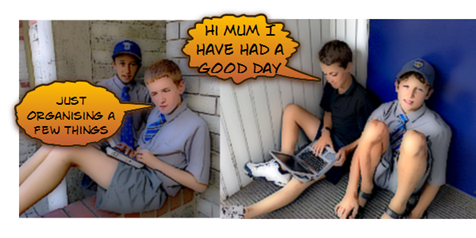
Why are phones unwanted in schools? I am thinking especially camera in our school environment.
What about Kindy? See the 1 year old below

DK had an interesting digital story created by people writing on a4 and holding up their message and taking a picture
of it with the writer in the frame. .

My similar ideas for content

  • What are the issues in our school?
  • What helps you learn?
  • I learn best when
  • The book character was
  • How does bullying effect people
  • How does encouragement help you
  • Also single frame digital story telling could come from these cameras
  • sustainability messages
  • Safety messages
  • Poems
  • Emotional responses
  • Love more in comments below What do you think?

Milton Keynes youth service created the message below

This is simple but effective somehow knowing that the word was someone's makes it more powerful.

The second most popular reason youth use the web is Learning.
From the web makes me feel … This site collects and reflects on the results gathered from one ok DK's web interaction points.

image

I really liked this reflection on twitter

image 

“Twitter not about contacting people about finding out about stuff”

DK was talking alot about the way things just are. You can use hash tags as a stream of information in twitter so why wouldn't you? it just is.
Very pragmatic I thought lets look at reality and what we can use around us. Simple tools and social networks.

As a 44 year old the infographic below made me feel so good I had won a competition that doesn't exist.
What do the baby boomers do in social media?

image

nimage 

Link to Media Snackers is found above. DK is very open and inviting
jumps straight to honorary kiwi status in my book.
DK


Tuesday, October 6, 2009

IT takes some planning

Colin Warner & Lynn Davie

Glen Waverly college, Victoria Dept Ed

image

Asked to consider where our schools are on this

Elements that may effect development

Vision, Professional Learning, Ownership, Res & Org, Action Plan, Review

No vision = confusion
No PL = anxiety
No ownership = gradual change
No Res and org = frustration
No Action plan = inconsistency
No Review = unknown impact

What Stephen Heppell said learners thought made them feel good about the process

eccentricity
making something
having an audience
collaboration

I liked Colin talking about making sure teachers see a big variety of
practise examples. Also this is a nice simple view of what we need to be doing as a process.

 image

Would have liked to have seen more student’s voice in this  workshop
and perhaps a look into the learning that was the result of the process.


Software for Learning

image

Fiona Grant based in School support services Auckland

Rochelle Jensen Waikato University

Urls http://softwareforlearning.tki.org.nz/

http://softwareforlearning.wikispaces.com

Rochelle described the software for learning site as  a

One stop shop for teachers looking to select software for learning.”

Hot NEWS from workshop

A new search engine is in development and usernames will be individualised and transferable so they can transfer from one school to another. CWA are to make it possible for learning management systems to authenticate so users will not have to enter passwords. This will make these alot more popular in my eyes.

My ideas from the workshop

  • Give one team member a role to locate suitable objects for a unit
  • Revisit that object as a whole class and in groups
  • Use the object for different perspectives each time
  • Introduce the estories form the wiki to your whole staff or syndicate groups
  • Well suited to social action and applying knowledge

The wikispace refers to the pedagogy behind this. This brings this closer to schools and looks ate their use in the classroom.
These stories are a good place to start for integration of learning objects into meaningful deep learning experiences.

The unit can already be started before the learning object is used. What happens when students think and apply past experiences to new situations. For example students who has looked at how dyed water is drawn into a plant. This is applied to the river context.

This can be watched at http://softwareforlearning.wikispaces.com/estory7
There
was some great language of learning

image

Thoughts on what makes digital digital objects effective presented were
I’ll be back to

softwareforlearning

image

image

Thanks Rochelle and Fiona for providing examples of best practice in use of digistore.


Friday, September 25, 2009

Reading the right thing

image

This maybe what happens when people read this blog post. If not it probably because
we have chosen to or are seeking to learn about text vs visual language
through an emotional connection.
If from our perspective this is meaningful to us our brain will store it. I see visual information as more inately engaging.
Did the use of the red bold text get our attention? Is this a method of making the reading have more perceived benefit?

I plan to use visual text and prior reflection to help select what material, media, genre that students I work with will be exposed to.
Enthusiasm and engagement will need to be established before they start reading 
Even better if they are part of the selection process it may help to ensure they predict benefit.

.


Wednesday, September 23, 2009

Networking for 1 to 1

Page_1 

With future posts I will look at pedagogy but this post will consider networking and it’s implications. The reason being that often people don’t understand the implications of adding more devices onto their networks, where the bottlenecks are etc. I hope that this post will make some of it easier to understand and help those making decisions for 2010. Otherwise we may hear this type of talk…

“We have got a whole lot of netbooks and all of  sudden the network seems awfully slow.”
”We used to have good internet and now students are waiting a long time for simple things to happen.”

There are large implications to increasing client density on our school networks (these are not just about our internet connection but internal also). 
What do we need to understand, do to create and maintain a network suitable for 1:1 student use?

5 Big ideas

  • The Network is now the most important part of Schools learning technologies infrastructure
  • Network contains 4 main components – Internet connection – Backbone – Network Layering (segmentation) – Wireless Access
  • These components have to match with client (device) density if the users experience is to be a good/successful/meaningful one
  • Wireless access is the only suitable way to deliver ubiquitous/natural learning technologies
  • "the value of a telecommunications network is proportional to the square of the number of connected users of the system" Metcalfe's law ie the more people connected the more learning the more opportunities.

A closer look at these

The Network is the most important part of the Schools learning infrastructure

It used to be that schools spent their money preparing servers to host mail, files and programmes. Now much of this functionality is moving to places outside the school. Schools are pooling forces to consolidate these like Nayland College who share a server with Nelson Girls. Network connectivity is the key to this. For a school to host the increasing number of devices that are being plugged in; or to enjoy wireless networking attention to this is important. In our school over 250 more devices are connected this year than last. Next Year and additional 230 are predicted. It could be  a bit like trying to fit a cities traffic down a normal road if we don’t take a few crucial steps.

 image

The Four Main Components

Internet
As shown above High speed internet to maintain service levels if we connect more devices to our network. Jetstream is not able to put information from our schools onto the internet nearly as fast as it can bring it down so when more of us want to use web 2.0 tools we will struggle to do so.

Backbone
The connections between buildings and switches (think old telephone exchanges) is our backbone. Fibre optic cables and fast switching are needed if we want to avoid bottle necks and teacher frustration.

Network Layering
When a computer or other device on a network wants to talk to another one it can happen in number of ways. In most school networks traditionally the device would ask all of the others if they were the right one ie send its message everywhere in a hit and hope type exercise. This was not such a problem when there were a small number of devices involved but now there are hundreds it can make things noisy and slow. To speed things up we can segment a network (make it layer 3) and send the traffic directly to where it needs to go. The important message here is to use layer three capable switches in our networks.

Wireless Access
The most difficult to get right but the most important in many ways because this is the where connections to the network for 1:1 devices will start. Schools need enterprise level wireless to manage 1 to 1 devices. A good system will be characterised by a central wireless management unit. What this does is ensure that access points are not competing with each other and that clients are handed on seamlessly from one to another.

The match to Client density
More devices = more bandwidth required for the same experience. Work using local software if the network can’t support multiple online users.

The value of 1:1 has come from the value of the network ie the value of connectivity.
We need to get our network environment right for the value of connectivity to show through. My next post will be a reflection on the realities of pedagogical (teacher readiness) for 1:1

For a look at the ideal world of a 1:1 implementation read this on Wesley Fryer’s Blog and then read the comments which allude to a hardware environment being funded but teacher readiness not. To get teachers ready is a more complex process than getting the students and their devices connected. In my mind we jump across and action research our way to individual teaching success. See easy isn’t it?


Monday, September 21, 2009

Students View

What some students thought when asked if schools should go 1 to 1. They were also asked what they were proud of in their use of a Netbook. Interesting to me were that they all had different personal ideas on this and that their reasoning for why was based on sound ideas rather than the gadget factor.


Monday, September 14, 2009

Quizlet learn it and have fun

My son Jack is studying for NCEA Spanish. Being a geek and believing that a computer and the internet will solve all ills I looked to the web for a way through. I was amazed at how empty searches were when looking resources that would really help. I was taking part in an online meeting with 0ZNZ educators and by chance one of them specialises in modern Languages He had alot of ideas about learning using technology. His name is Joe Dale and his wiki is found at http://joedale.typepad.com/. Michael Fawcett a local blogger who I have alot of respect for was talking about what his daughter used as study tools and both confirmed the use of mp3s and flashcards as the major tools for exam preparation. I have started to work with these ideas and Jack has recommended Spanishdict.com. I have also come across Quizlet which is an online flashcard place. Between now and the end of the year Jack will put some of the NCEA vocab into Quizlet. I have embedded a match up below see how you get on.